
PhotoSendr
Photos, videos and files to your favorite people, in a tap — by email, a web gallery, a card, or prints.

For iPhone and iPad · Free to send
Photos, videos and files to your favorite people, in a tap — by email, a web gallery, a card, or prints.
For iPhone and iPad · Free to send
Fill the grid from your camera, your photo library, or Files — a whole batch at a time. Starting empty? A welcome screen offers one big slot and a quick-pick button for your latest shots. Receipts for the bookkeeper, job-site photos for the contractor, kid pictures for the grandparents — batched and gone in seconds. Three sets of ten items free; with Pro the grid grows as you add.
Crop with Original, Square, or Free presets, dragging the frame to reposition it in any of them. Rotate in 90° steps. Flip to black & white and back. Save any edit to your photo library.
Set your recipients, subject, and message one time. Every send starts pre-addressed — edit anything before it goes, or filter down to a single person.
Some inboxes want attachments; some want a single document. Flip one toggle and PhotoSendr merges everything into a PDF — perfect for receipts, forms, and paperwork.
Point the camera at a receipt, a form, a contract — PhotoSendr scans page after page into a single PDF that takes a slot like anything else. Flip through its pages right in the app, and rotate, crop, or black & white any page before it goes out.
Record one with the camera inside the app, or drop one in from your library — videos sit in any slot, right next to your photos. They travel to your people through an iCloud link, compressed so they play in any browser, no app needed. One 30-second video per set is free; Pro lifts the cap and the count.
Trim to the exact range you want — drag the in and out handles, or tap the timestamp to type an exact time — with a frame-accurate preview. Mute a video in one tap, or bring the sound back just as easily. Rotate losslessly, any number of times — no quality lost. Pick any frame as the video's cover.
One tap uploads your set to iCloud behind an unguessable address. Anyone can open it in a browser — no app, no account — flip through full-screen or sit back for a slideshow, and take the photos in one go as a single zip; videos and PDFs come down on their own. Expire the link whenever you like: it stops working and the copies are deleted from iCloud. One live link (7 days) is free; Pro gives you as many as you like, for 7, 30 or 90 days.
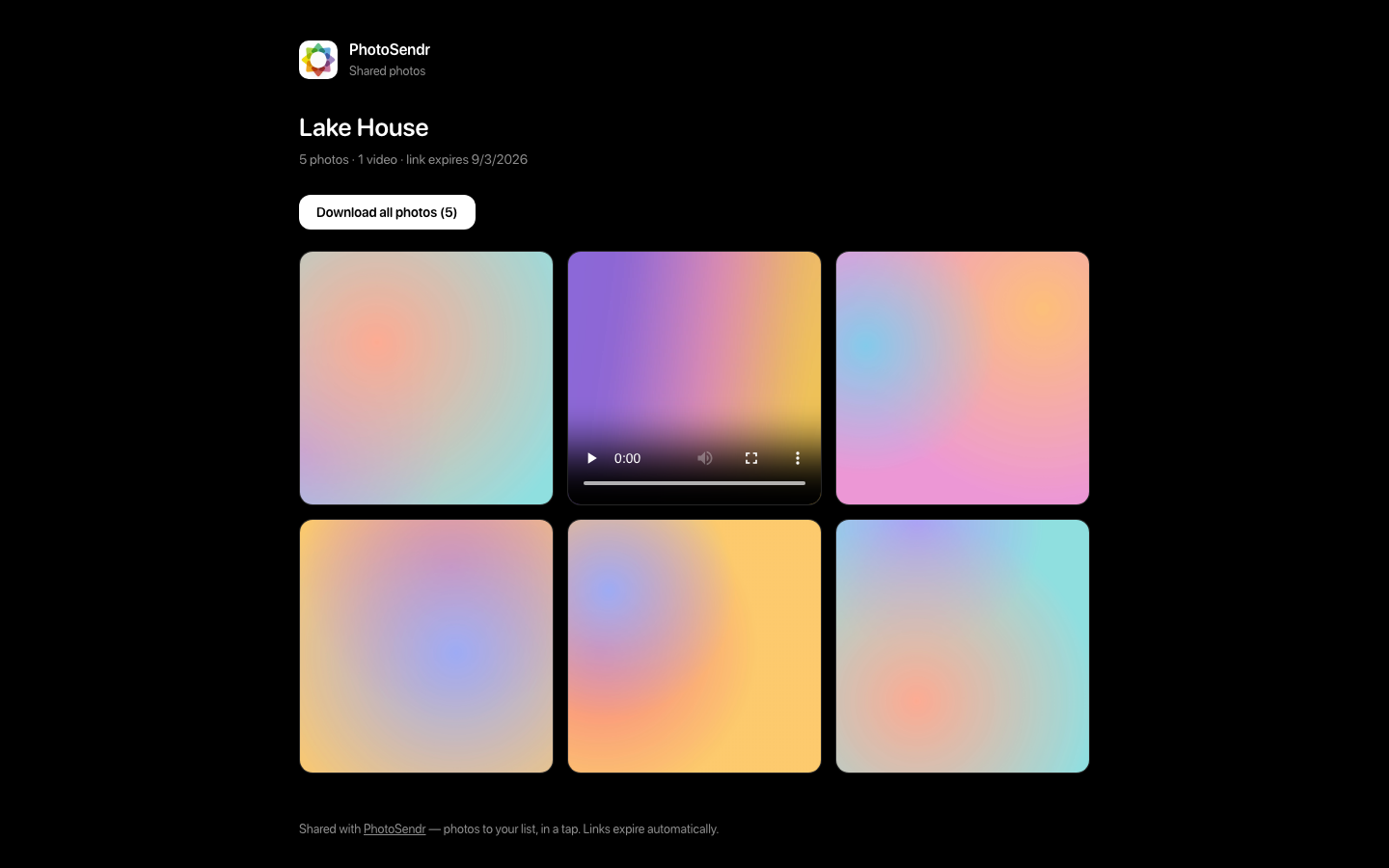
Tap Copy share link and the address is on your clipboard, ready to paste wherever you were already typing — if the set hasn't been published yet, it publishes first. You can also make a link per person: the same gallery at a slightly different address, named privately on your iPhone, so you can see whose copy was opened — and nobody who receives one ever sees that name.
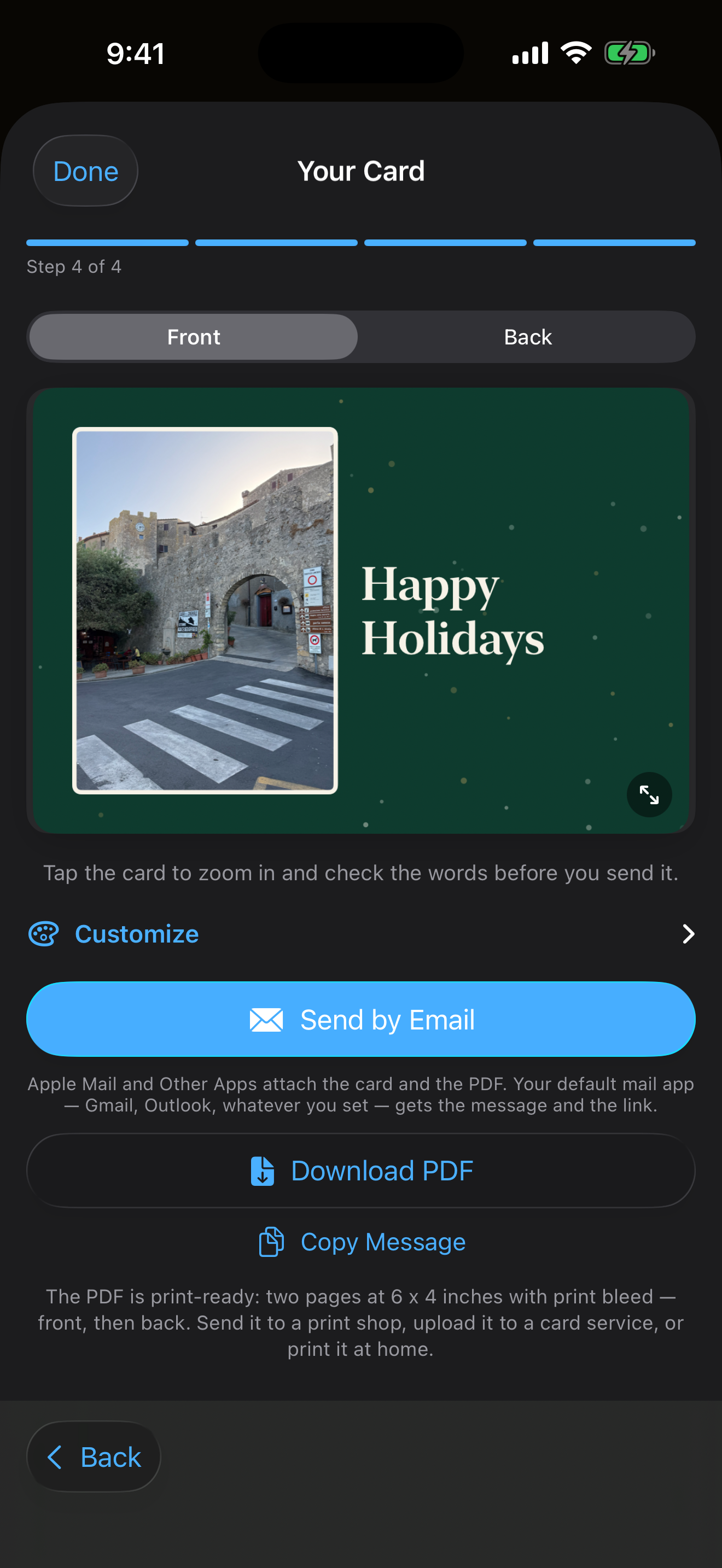
A link has to be sent to someone already looking at a screen. A card is the version you can hand over. Pick a design, pick your photos, write a line — PhotoSendr puts a code on it that opens the whole gallery. Horizontal or vertical, one side or two. Print it at home, order a printed pack, or email it. Making one is free, like the rest of sending.
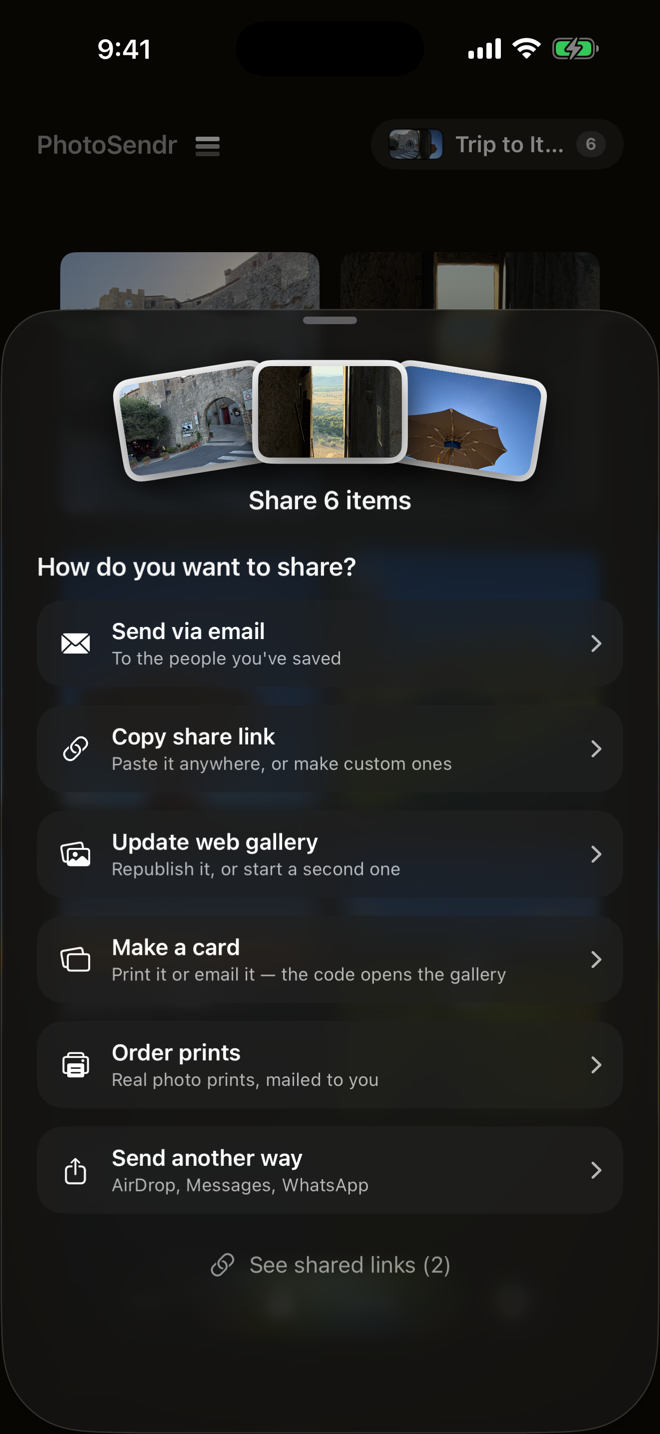
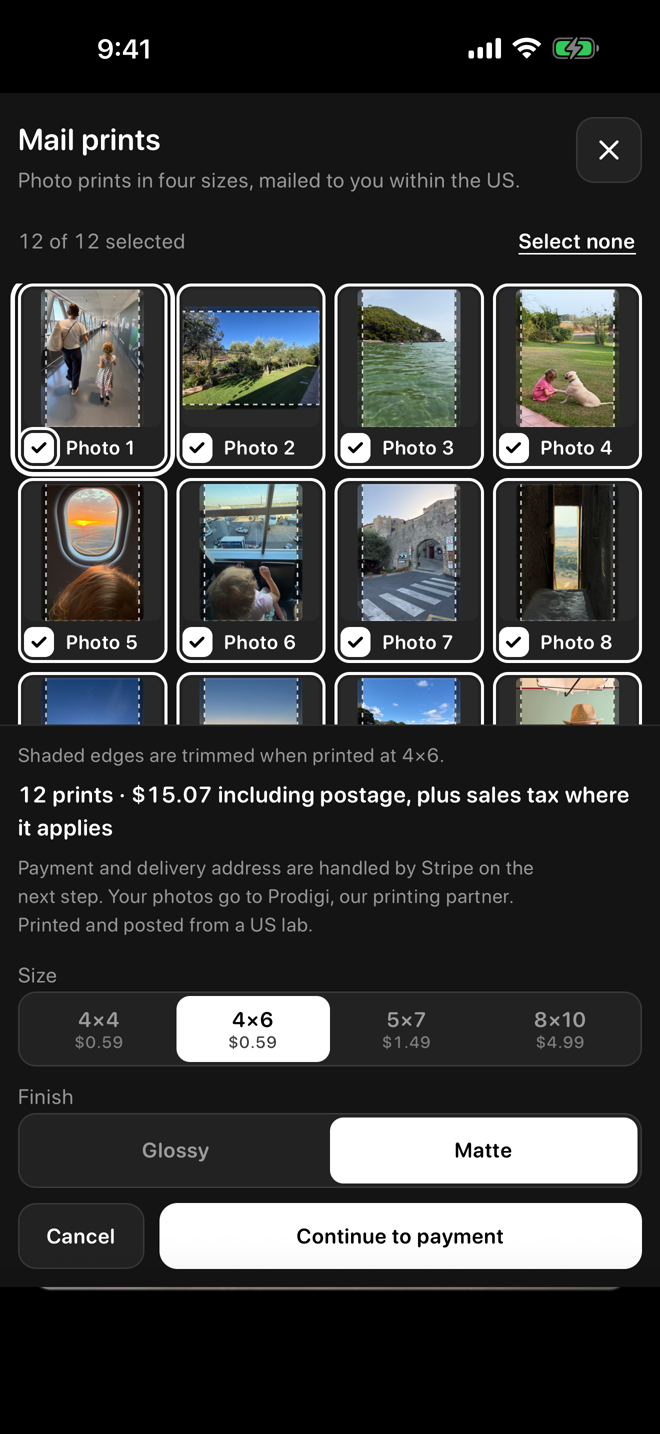
Tap Order prints and the set goes to the printer: choose the photos, a size and a finish, pay, and real photo prints are made in a US lab and mailed to you. Or just share the link. Everyone who opens the gallery can order their own prints of the photos they want and pay for their own, with no app and no account, so nobody has to collect addresses or settle up afterwards.
Multiple sets for separate lives — properties, projects, grandparents — each with its own photos and its own send. Plus full-length videos, a grid that grows to 100 items, and as many live iCloud links as you like.
And permanent card links: a printed code that keeps working after the gallery expires, can open any web page — your menu, your shop, a sign-up form — and can be pointed somewhere new at any time without reprinting. The app shows how many times each one has been scanned.
Fair question. Here's the honest difference.
Built for one-off file dumps: every send starts from zero, and no list remembers your people. PhotoSendr keeps your recipients, subject, and message ready — and when you stop sharing a link, the copies are deleted, not just hidden.
Shared-album links stay up until you remember to turn them off, and everyone gets nudged toward an account. PhotoSendr links expire on their own, show you view counts, and nobody needs an account on either end.
Pixieset, Pic-Time and friends are lovely — and start around $10 a month, built for client proofing. PhotoSendr Pro is $14.99 a year, or $34.99 once, for the part most of us actually need: photos to your people.
Comparisons reflect our understanding of these products' free or typical plans as of August 2026. They're all fine tools — and any of them can change at any time, so check their sites for current details.
No account, and no tracking or analytics in the app. Your photos stay on your phone until you send them — through your own Mail app or share sheet. Share links use the app's iCloud storage, live behind an unguessable address, and expire on their own or the moment you say so. Making one uses your own iCloud sign-in; the people you send it to never need an account.
Bought PhotoSendr before v5? Thank you — Pro is yours, free, forever.
Free to send from day one — Pro when you want full-length videos, unlimited sets, and links without limits.